
A user assigned with a Reporting role can generate reports only for the information they have access to within the Q-tx System. In other words, reporting capabilities are limited to the data and sections the user is permitted to view.
This User Guide provides a clear, step-by-step process for creating a Reporting User Account.
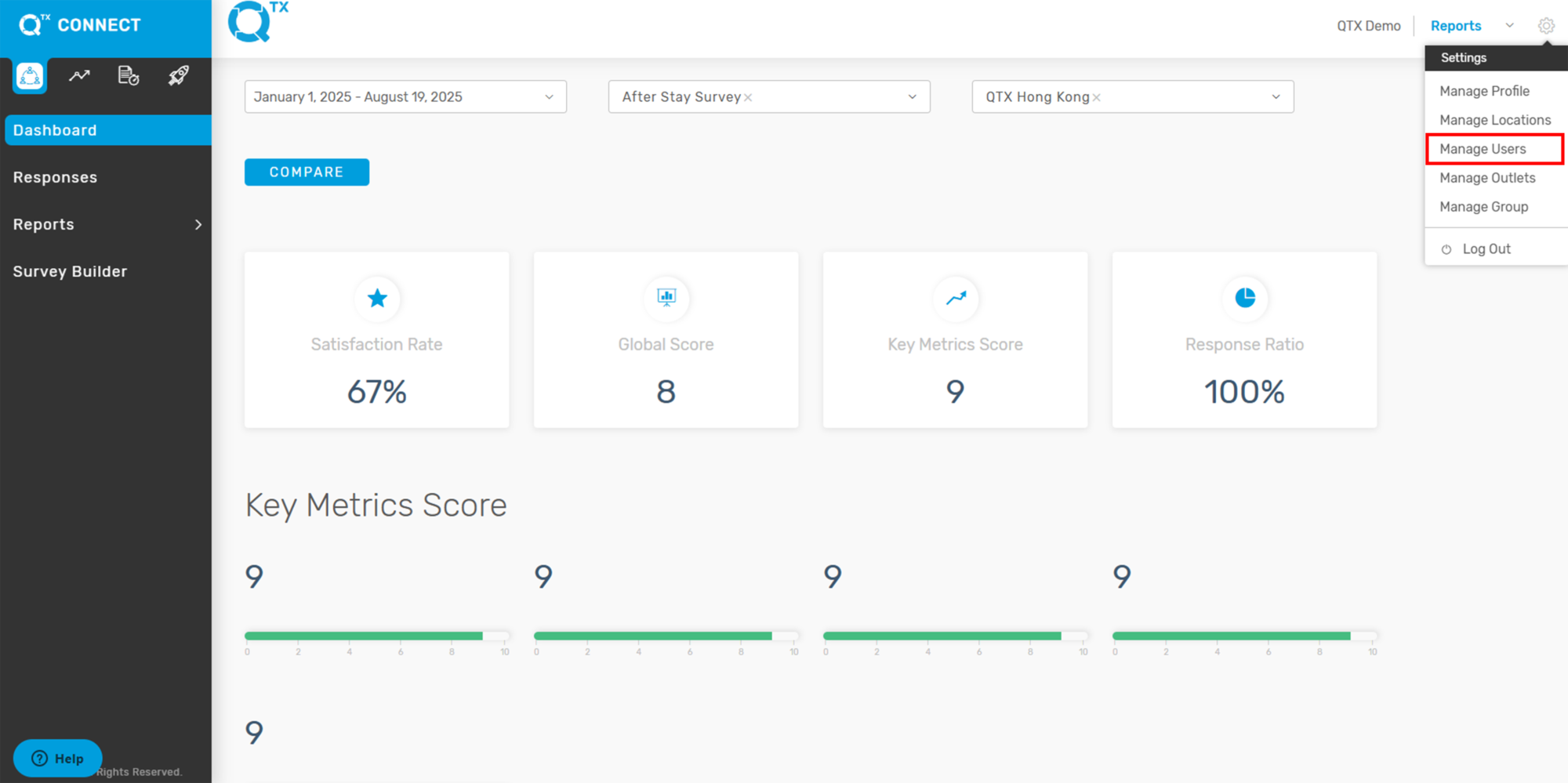
1. On the Dashboard landing page, click the Settings icon located in the upper-right corner of the screen.

2. From the drop-down menu, select Manage Users.
3. On this page, click the CREATE A USER button to begin creating a new account.

4. Make sure to select a salutation, then fill out the First Name and Last Name fields. Next, create a username (for example: firstname.lastname), set a password, and enter the user’s email address.

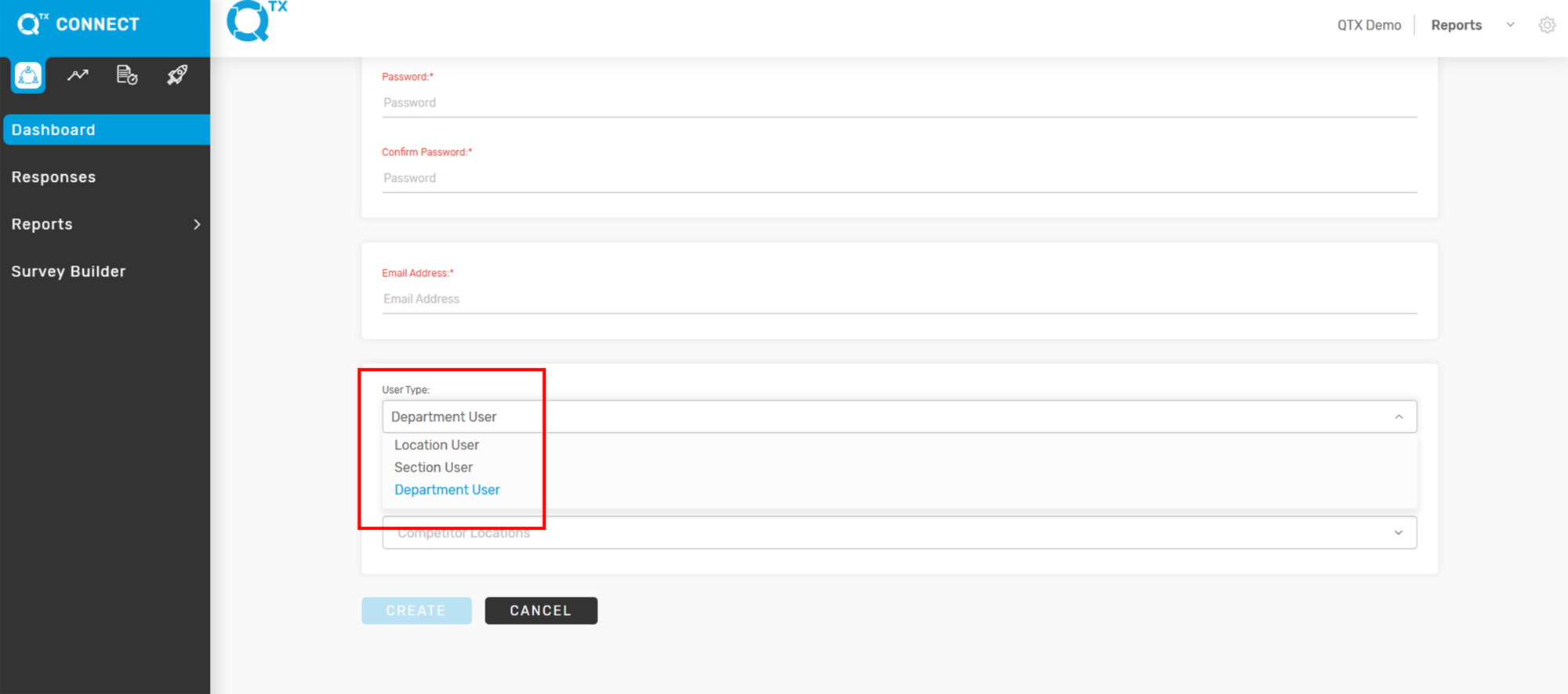
5. Select the appropriate User Type.
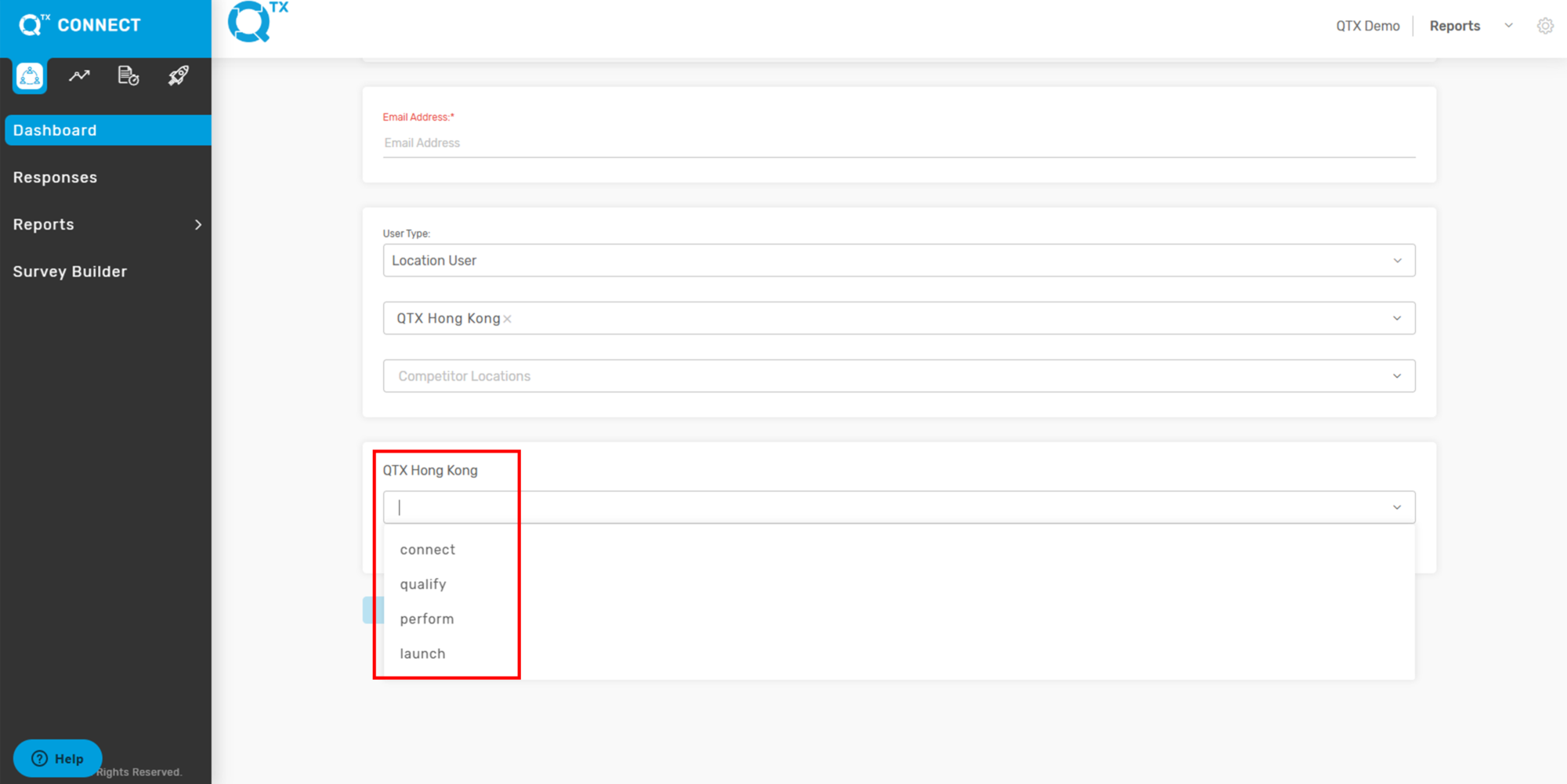
6. Select the assigned Location or Property for the user.

7.. Select the platform and click CONNECT, PERFORM, QUALIFY or LAUNCH.
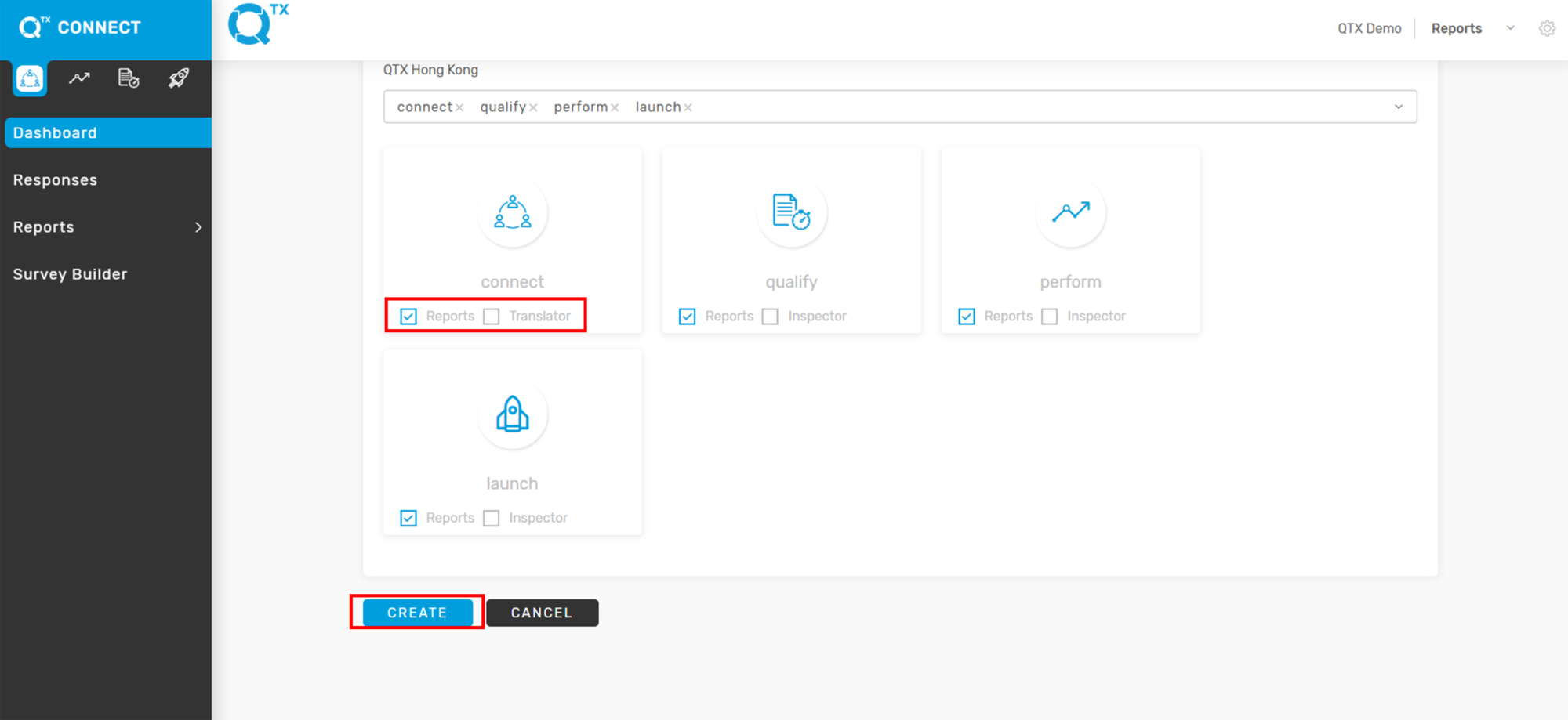
8. Check the REPORTS box for all selected platforms. Once all required details are completed, click CREATE to save and finish.
If you need further assistance, please send an email to helpdesk@q-tx.com