
A user with an Inspector account is qualified to review and evaluate a variety of services and amenities at hotels. Inspectors visit selected locations or departments as typical guests and assess both the services and facilities they experience. Their evaluations are guided by a predefined assessment, which is accessible and responsive across all devices.
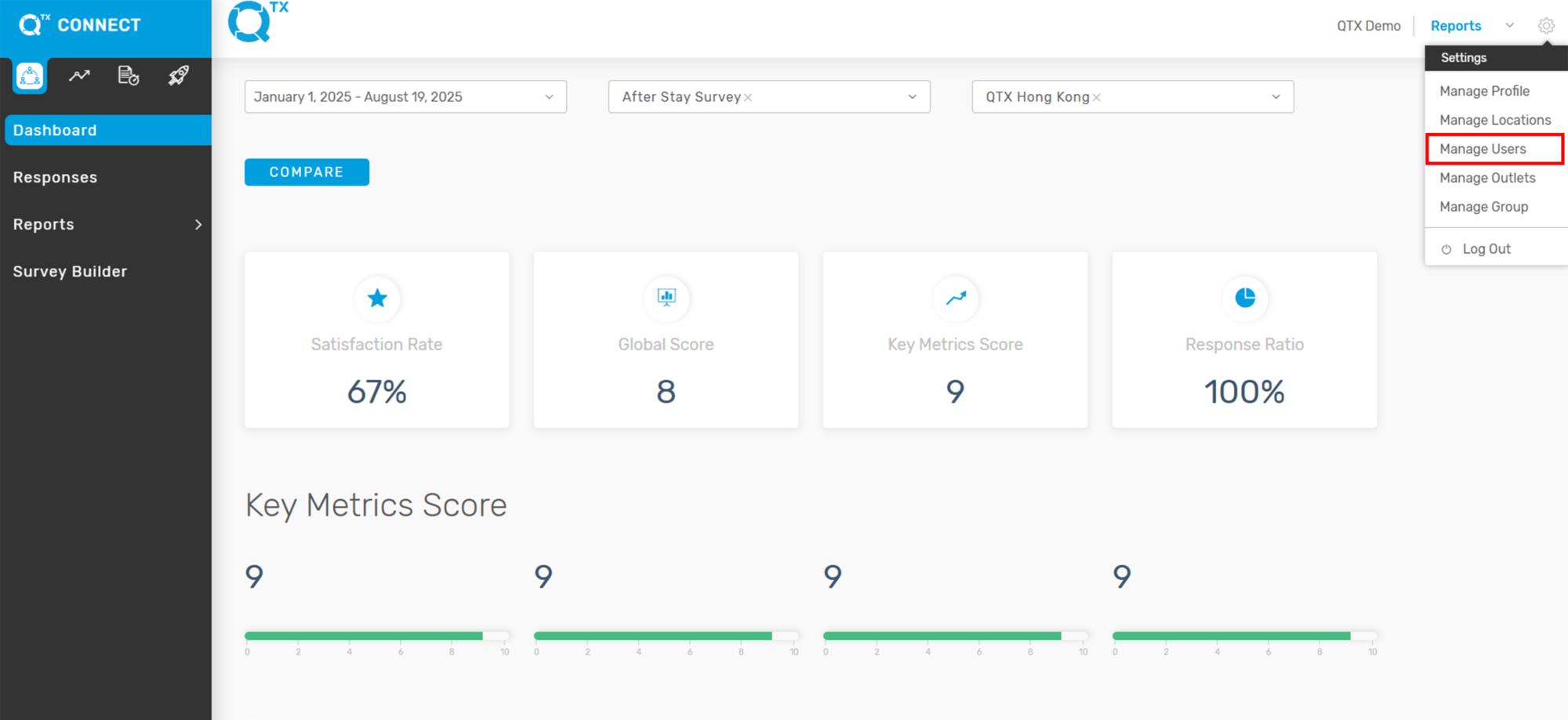
1. On the Dashboard landing page, click the Settings icon in the upper right top corner.

2. Select Manage Users.
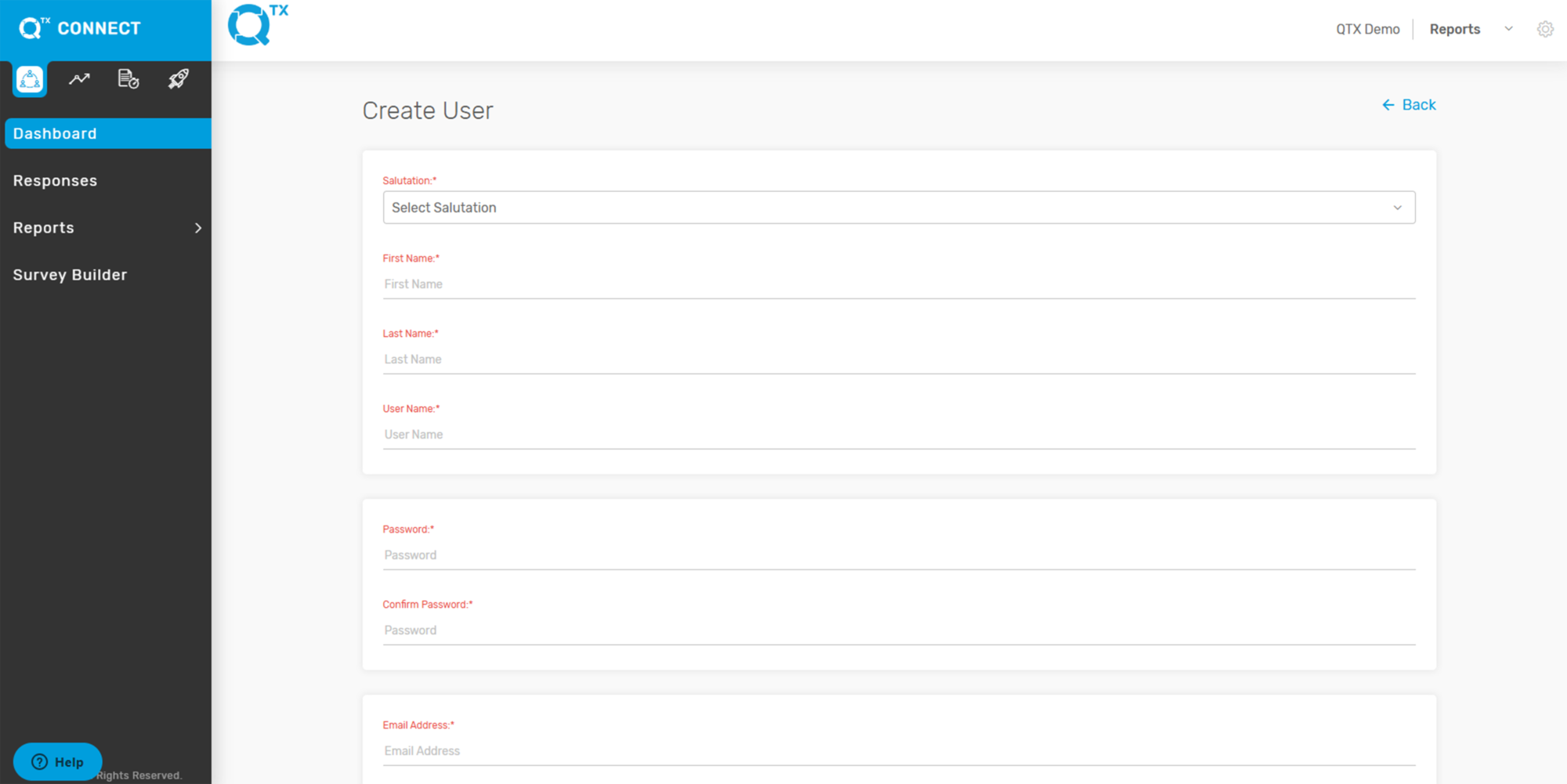
3. Click “Create a User”.

4. Fill in the necessary information by clicking on the empty boxes.
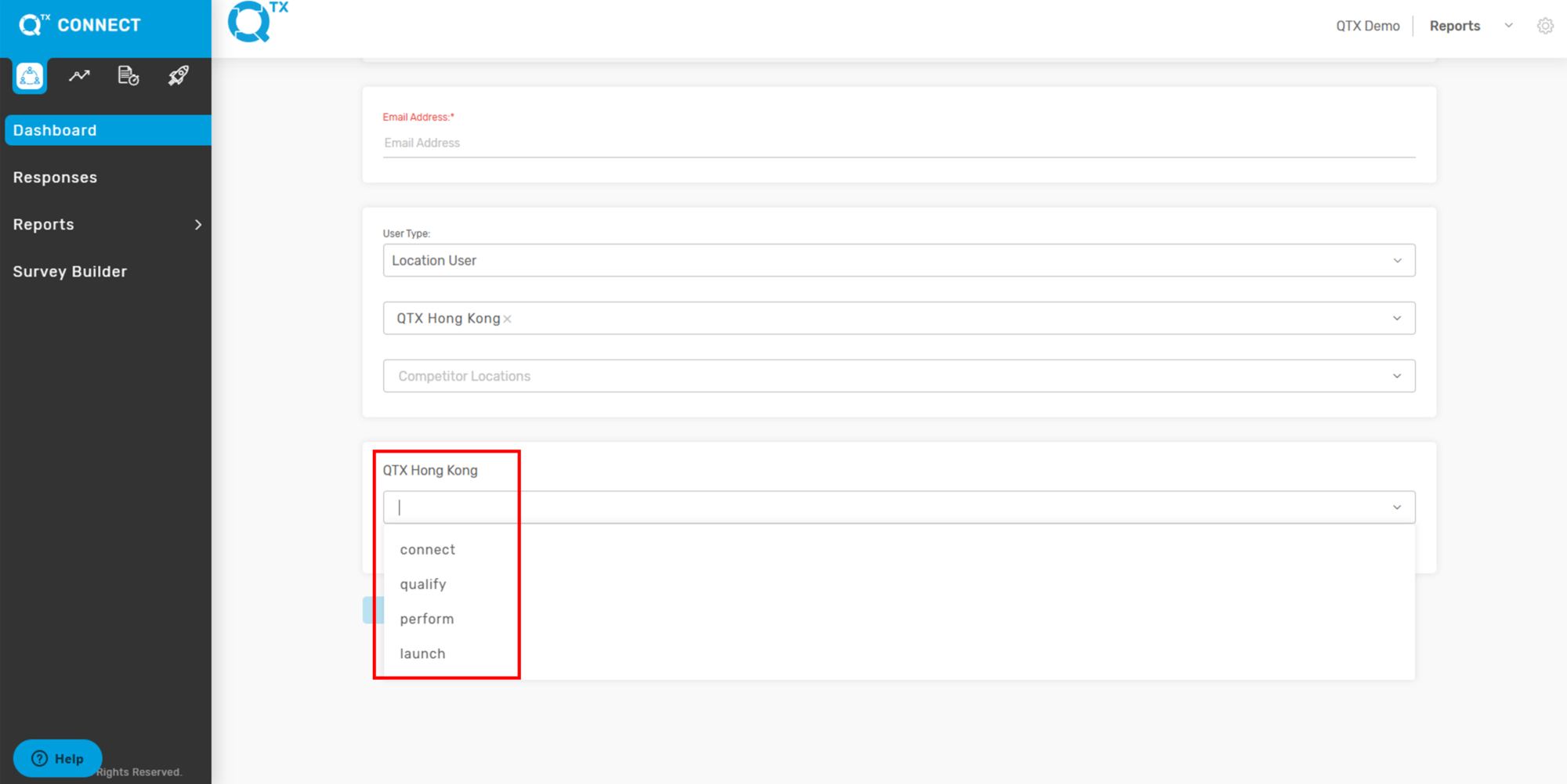
5. Select User Type and Location/Section/Department from the list by clicking the checkbox or using the drop-down arrow.

6. Once “User Type” and “Locations” buttons are filled in, another box will appear. The user has to select which Platform should apply in the selected Location.
Example: Macao as the Location

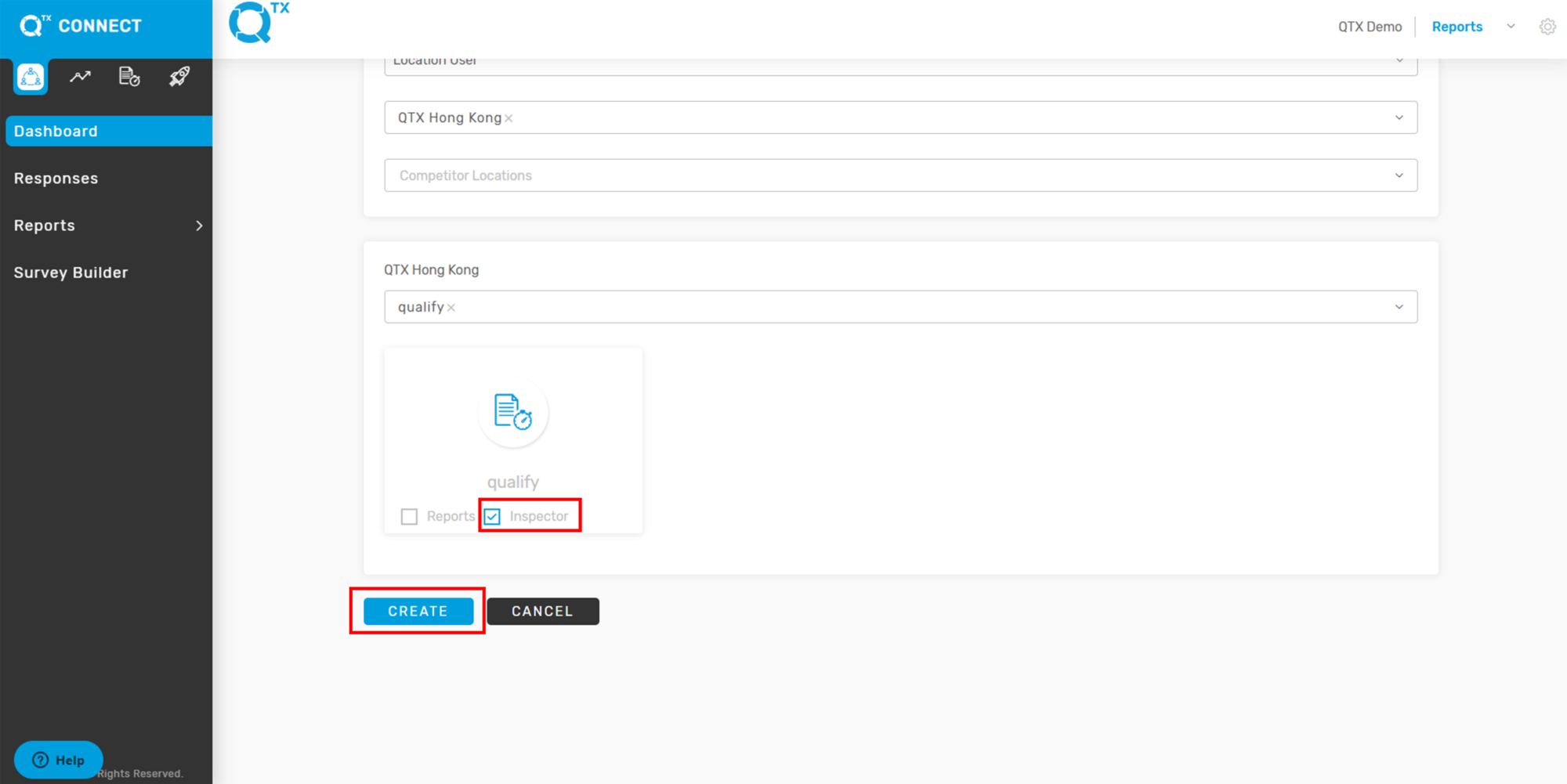
7. The user can select one or more Platforms.
8. Click the box next to the word “Inspector” to provide access. Then click on the “Create” button to save and finish.
If you need further assistance, please send an email to helpdesk@q-tx.com