
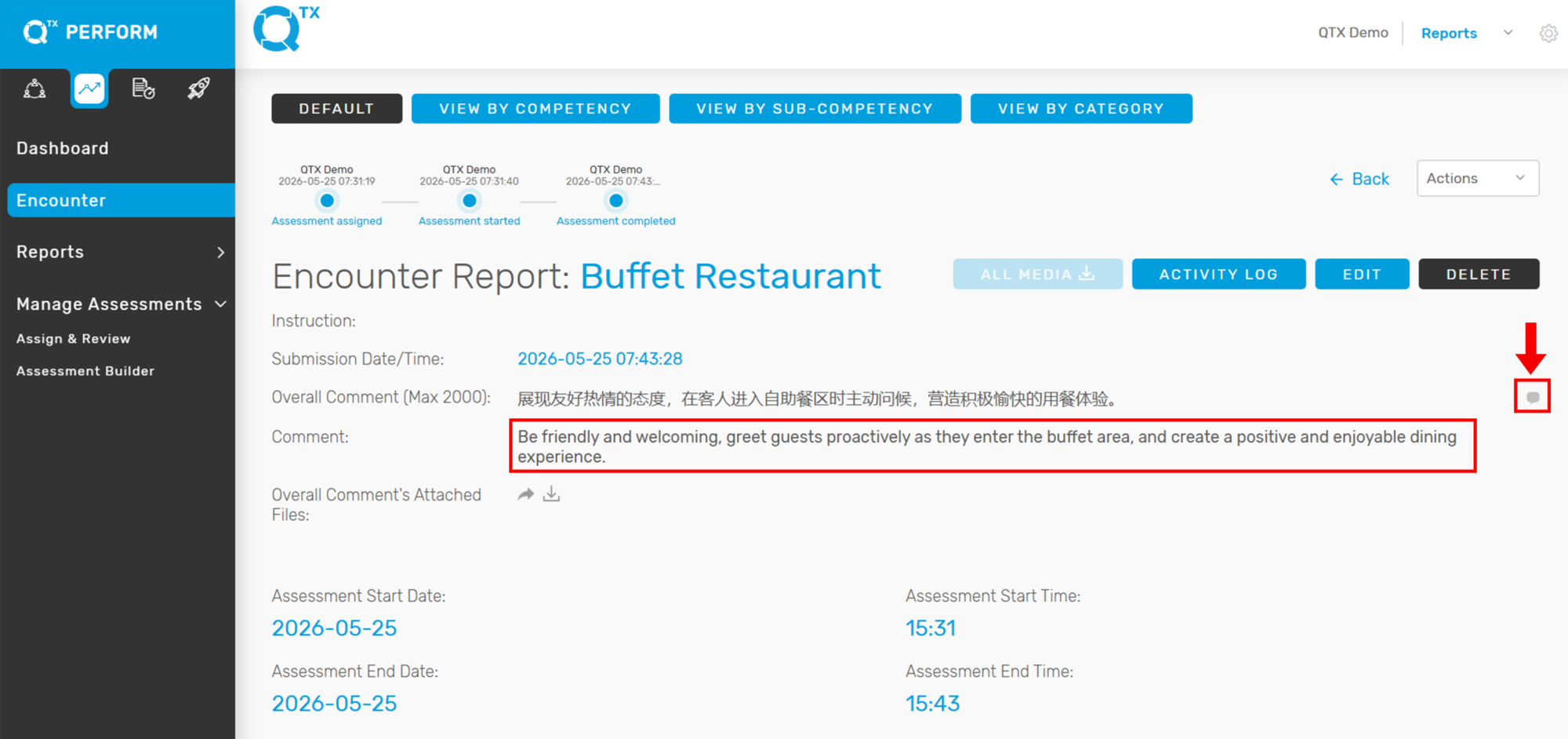
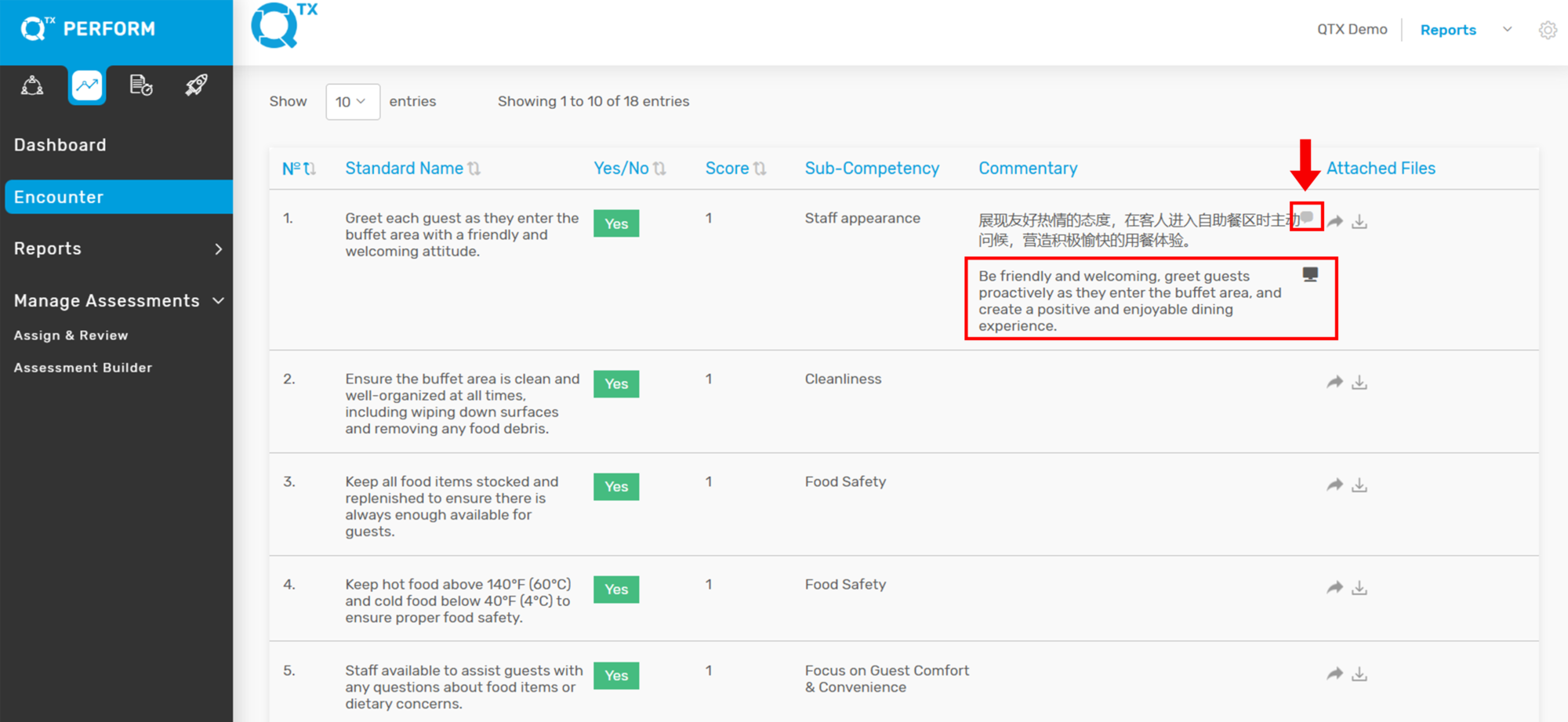
The translation feature allows users to view the English version of comments entered in different language characters. A translation icon is available within the Encounter Report and Standard Comment sections, providing quick and easy access to translated content.
1. Log in to your QTX account. Navigate to the Encounter Report page. Click the assessment name you want to view.
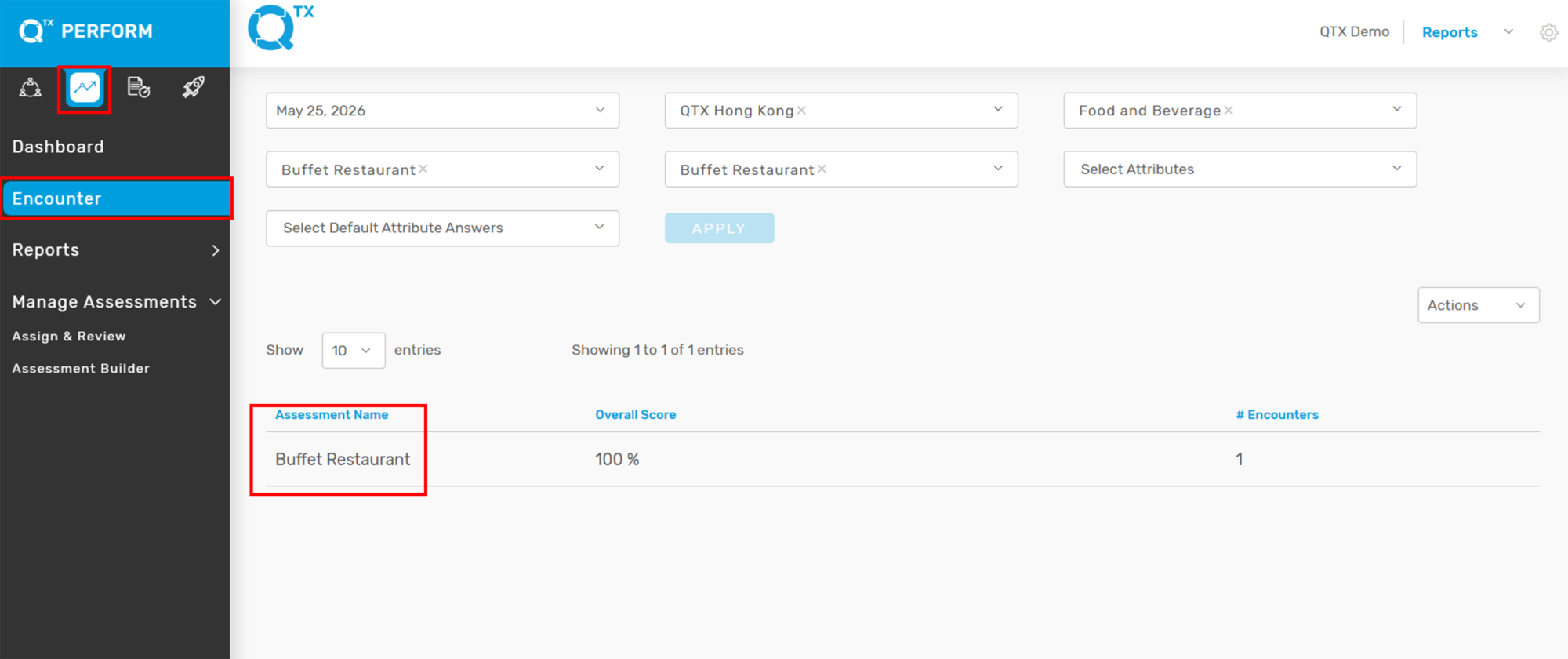
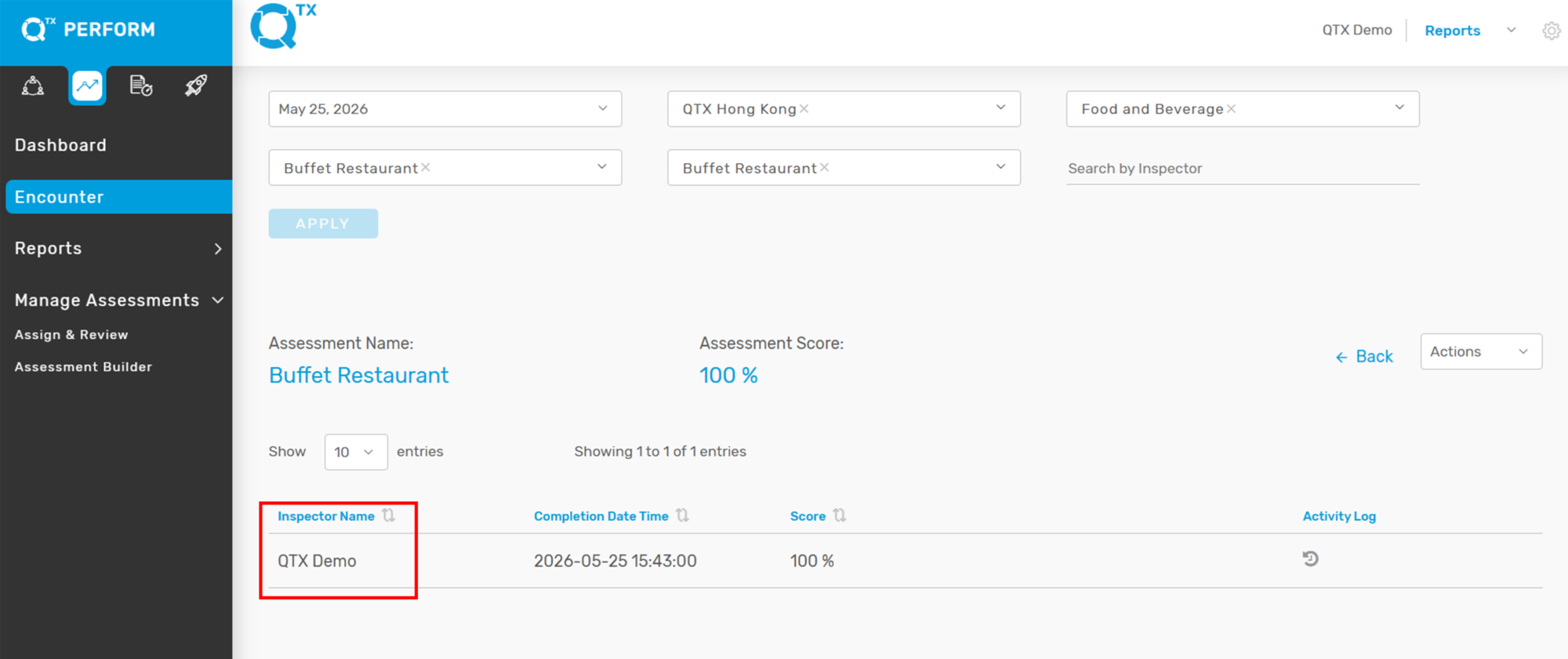
2. For example, the Buffet Restaurant and the Inspector is QTX Demo.
3. Locate the Translation icon beside the comment section. Click the Translation icon to display the English translation.
The same functionality is also available in the Standard Comment box.
If you need further assistance, please send an email to helpdesk@q-tx.com