
Adding new Competencies and Sub-Competencies is essential for maintaining a clear and structured evaluation framework. Each Competency represents a key area of performance or skill, while Sub-Competencies provide detailed breakdowns to ensure specific expectations are assessed accurately.
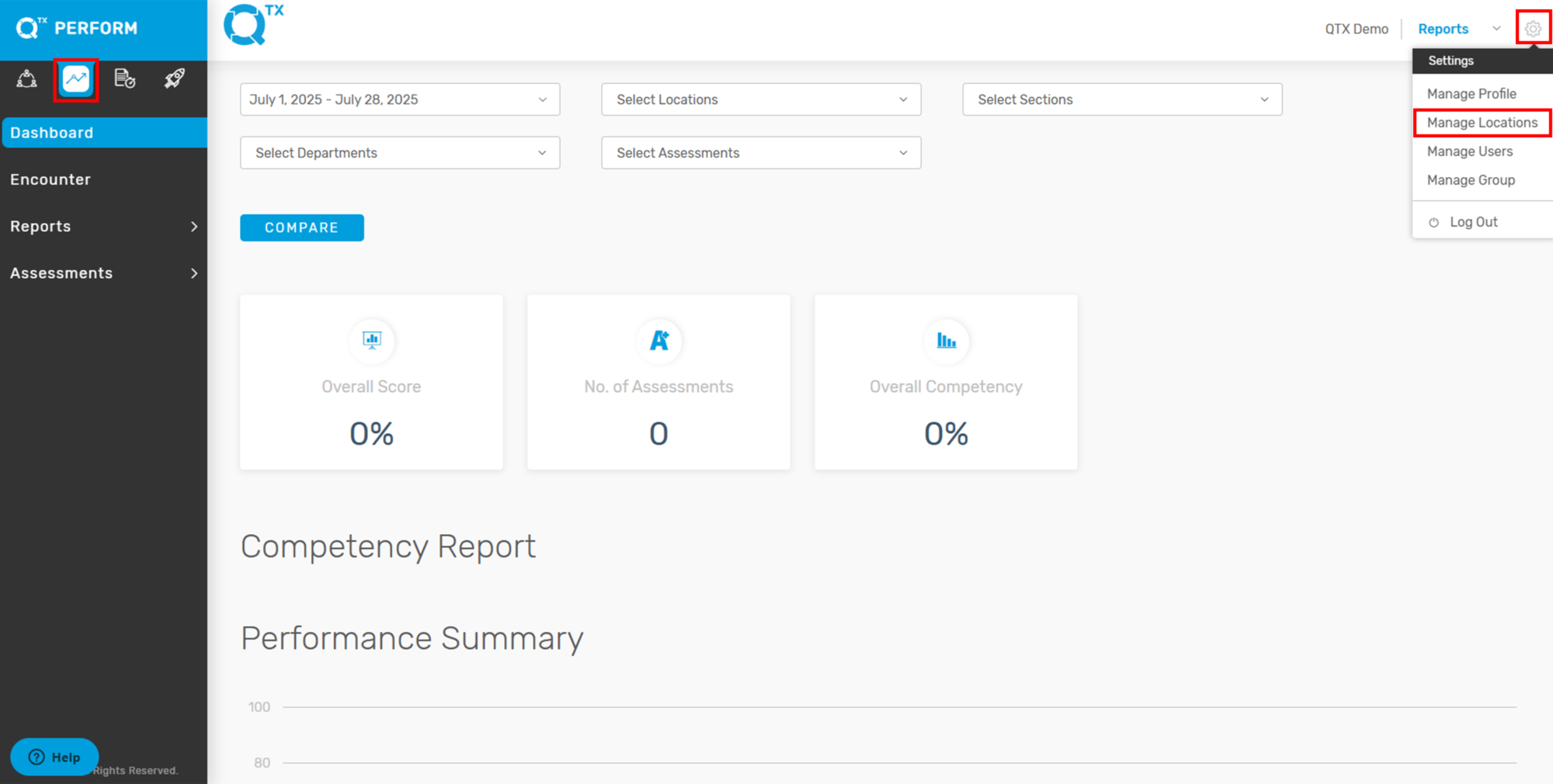
1. On the Perform Dashboard landing page, click the Settings icon located at the top right corner of your screen, then select “Manage Locations” from the dropdown menu.
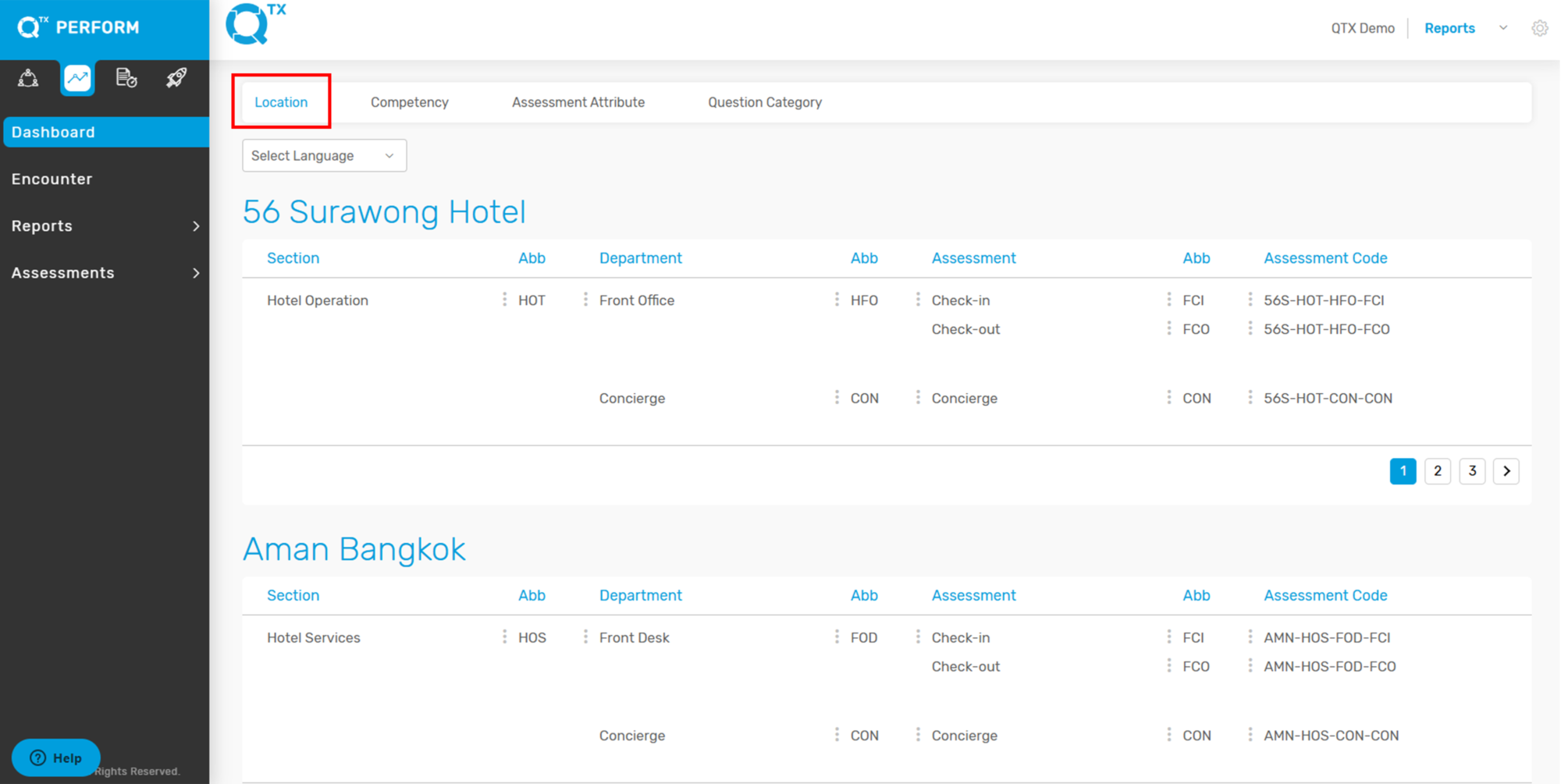
2. The system will automatically direct you to the “Location” tab.
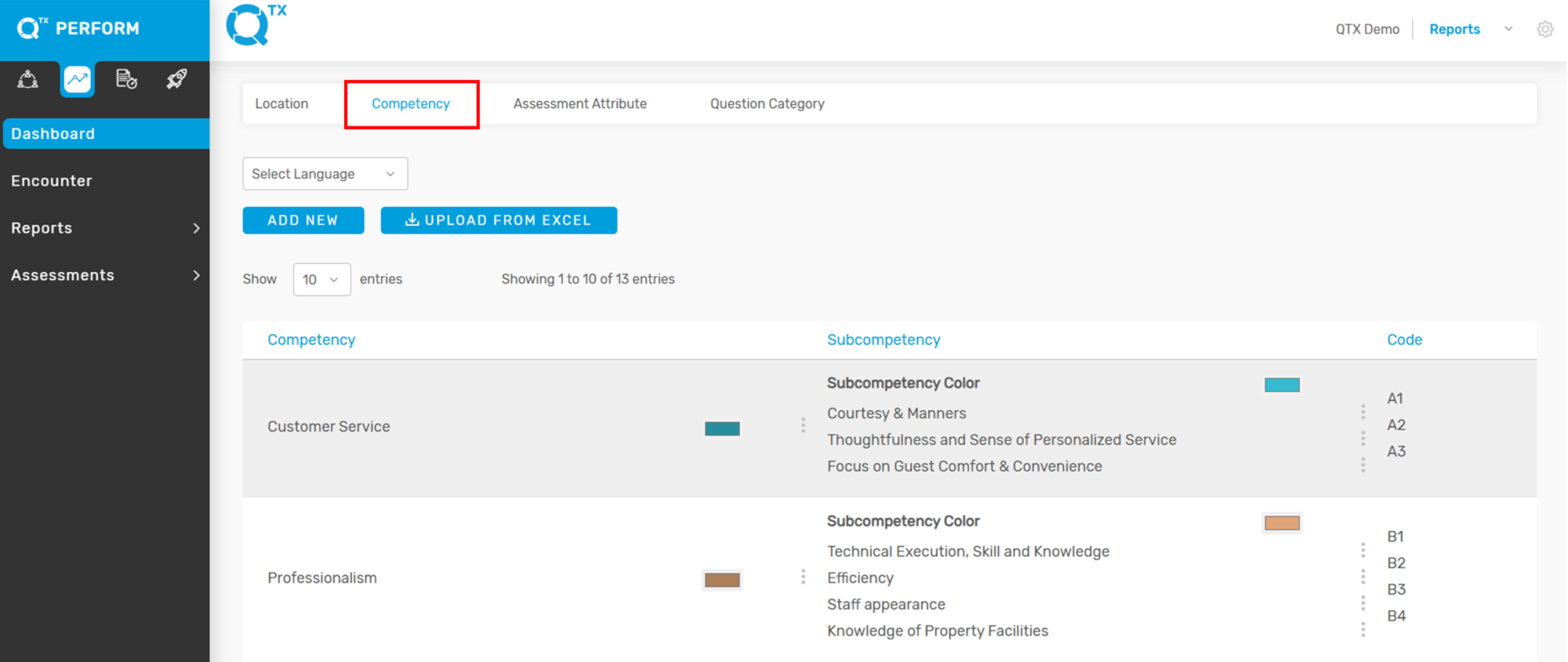
3. Click on the “Competency” tab to view the list of existing Competencies, Sub-Competencies, and their corresponding Codes.
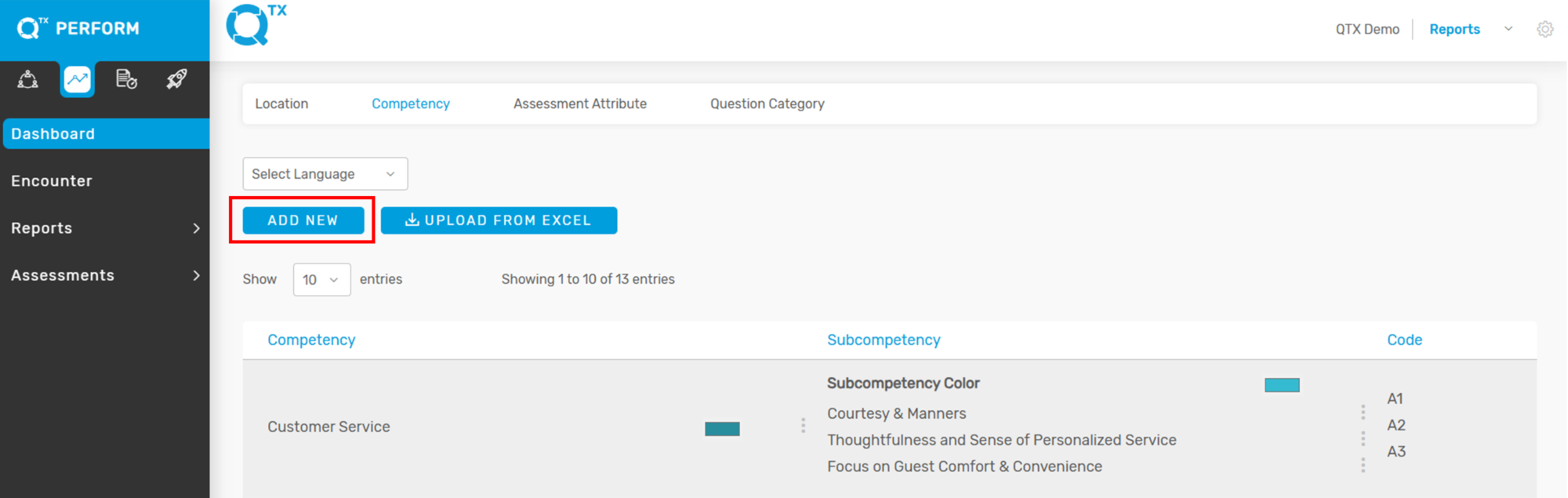
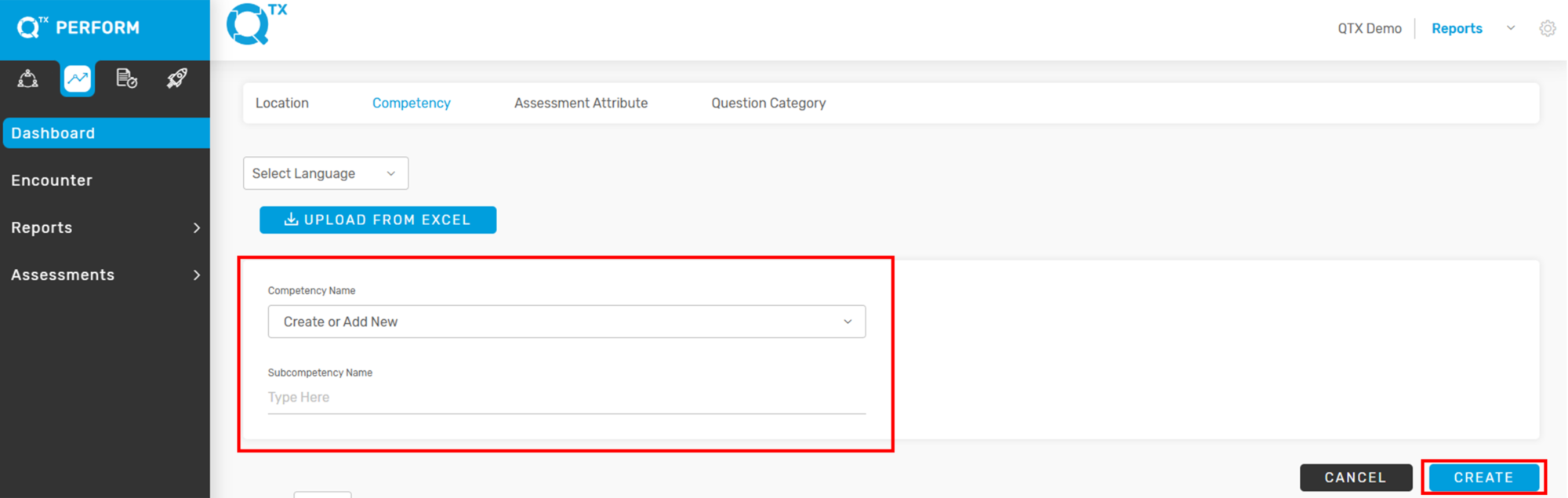
4. Click “Add New” to begin creating a new Competency or Sub-Competency.
5. The user can start creating or adding a new Competency and Sub-Competency, then click “Create” to save.
If you need further assistance, please send an email to helpdesk@q-tx.com