
Attributes can be added during the setup phase of an assessment to ensure that all required criteria, tags, or classifications are properly defined before the assessment begins. This step helps structure the assessment correctly and ensures that all relevant data points are captured from the start.
Make sure all necessary attributes are reviewed and correctly applied before proceeding.
Adding attributes before the assessment starts ensures consistency, improves reporting accuracy, and reduces the need for changes after deployment. It also helps align the assessment structure with reporting and analysis requirements across Perform, Qualify, and Launch platforms.
1. Go to Manage Assessment and click the Assessment Builder tab.

2. Filter by Location, Section, and Department to find the assessment name that requires modification.

3. Go to the Attributes tab, where you will see different attribute options available for configuration.

4. Identify the required attributes and toggle them on as needed.

5. Enable the “Show First” option to display the selected attributes at the top of the assessment.

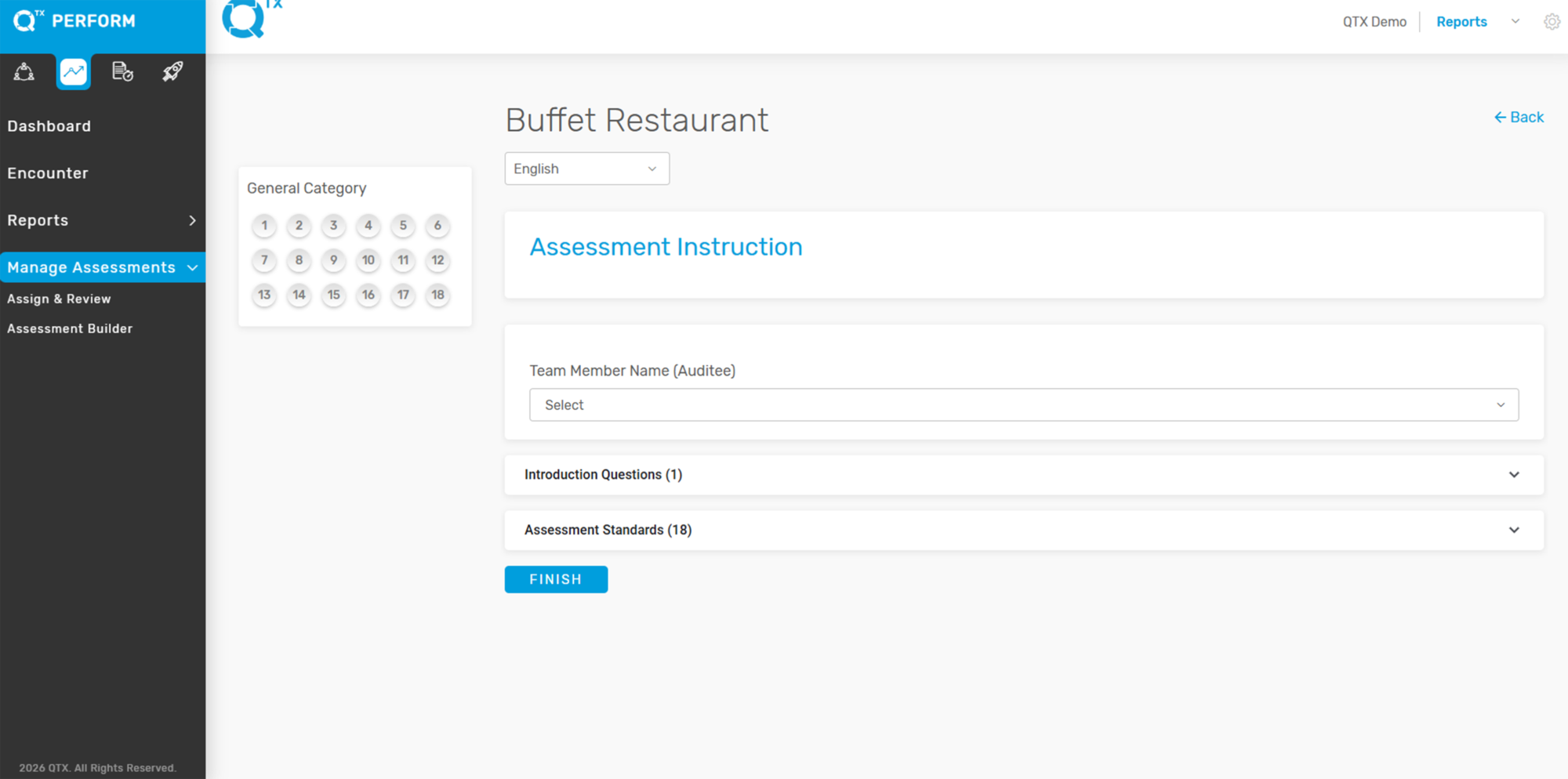
This is a preview of the assessment once it is toggled on.
If you need further assistance, please send an email to helpdesk@q-tx.com