
This guide explains how to view the Introduction Questions and Additional Questions within the Encounter Report in QTX. Using the filter and search features, users can quickly locate a specific assessment or inspector and review the responses provided during the assessment. This helps users better analyze assessment details and gain additional insights beyond the standard scoring.
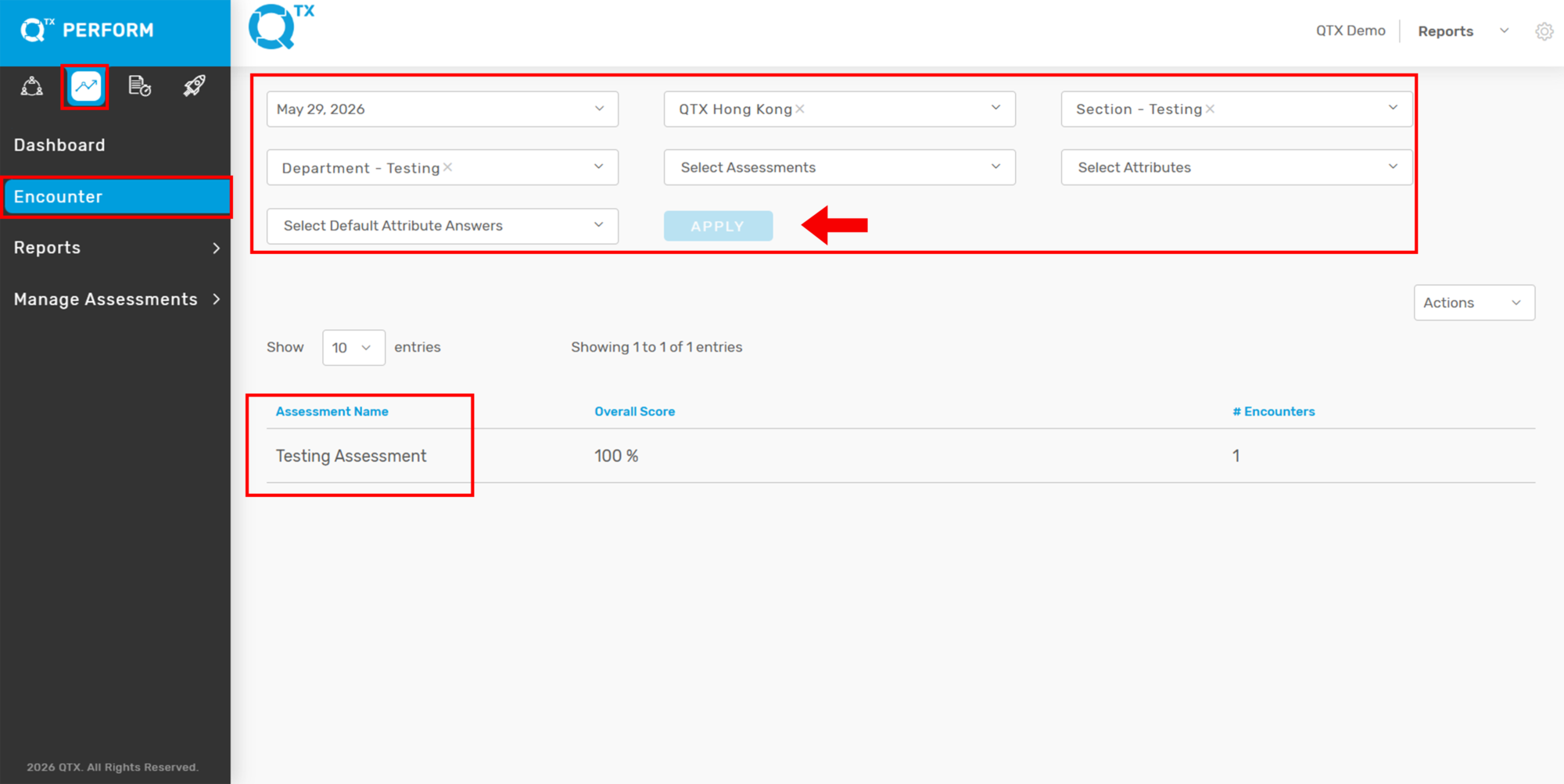
1. On the QTX Encounter landing page, use the available filters if you are looking for a specific assessment.
Select the necessary filter details
Click Apply
Then click the Assessment Name to open the report
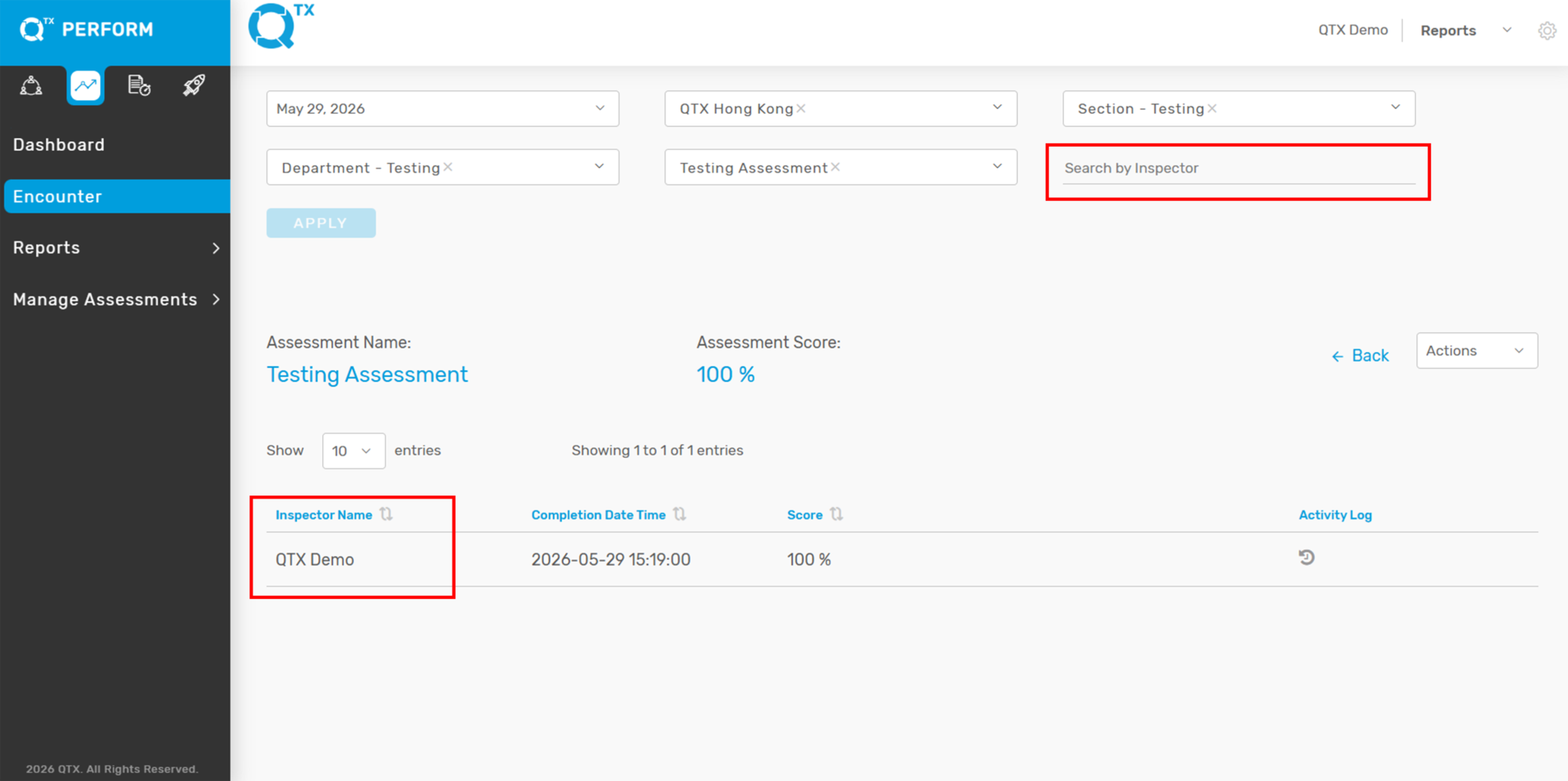
2. After opening the assessment, you may also use the Search by Inspector feature if you are looking for a specific assessment completed by a particular inspector.
Enter or select the Inspector’s name
Click the tab under the Inspector Name
This will display the related assessment records for that inspector.
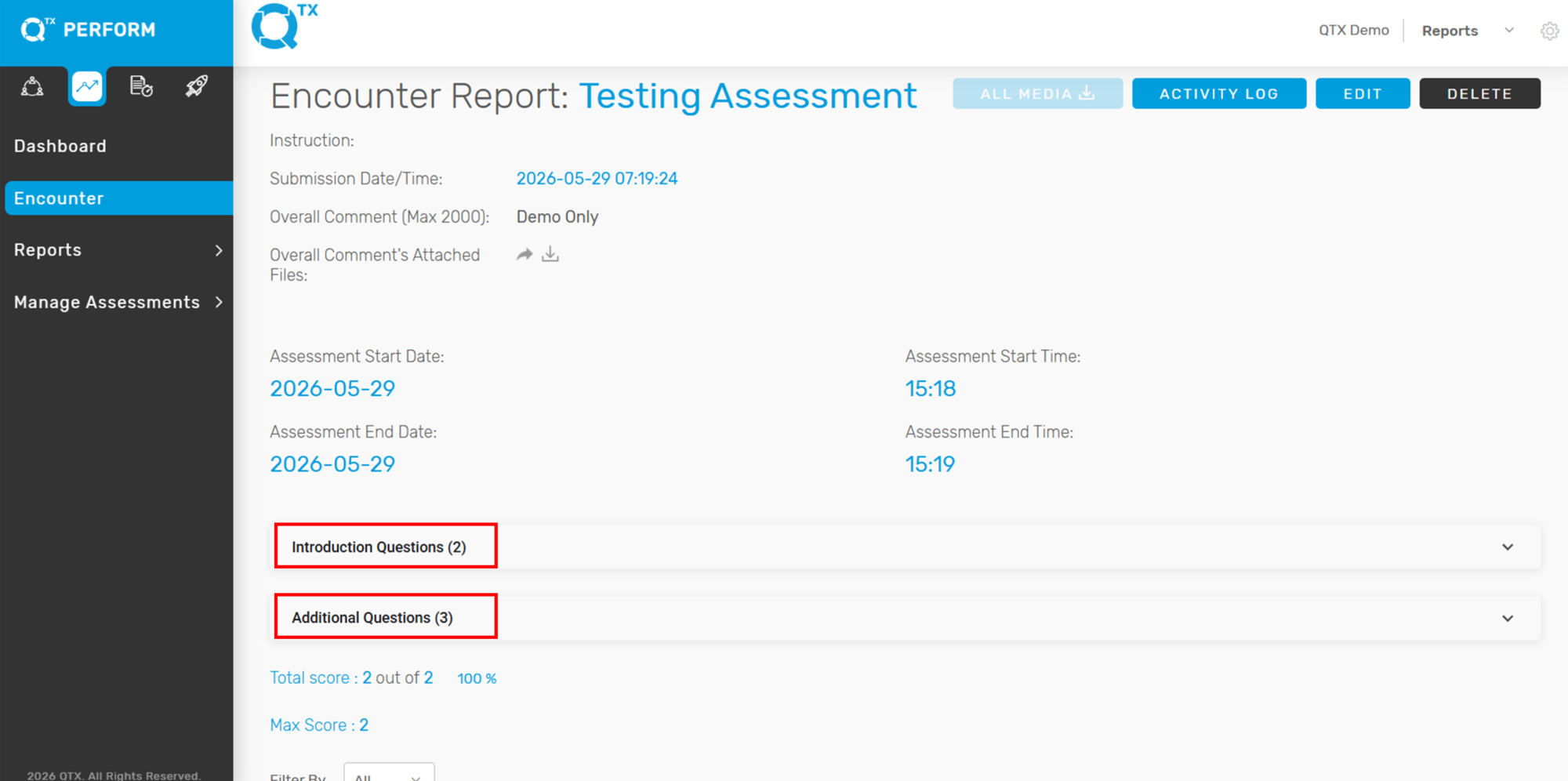
3. Scroll down slightly to the middle section of the Encounter Report.
From there, you will see the following dropdown sections:
Introduction Questions
Additional Questions
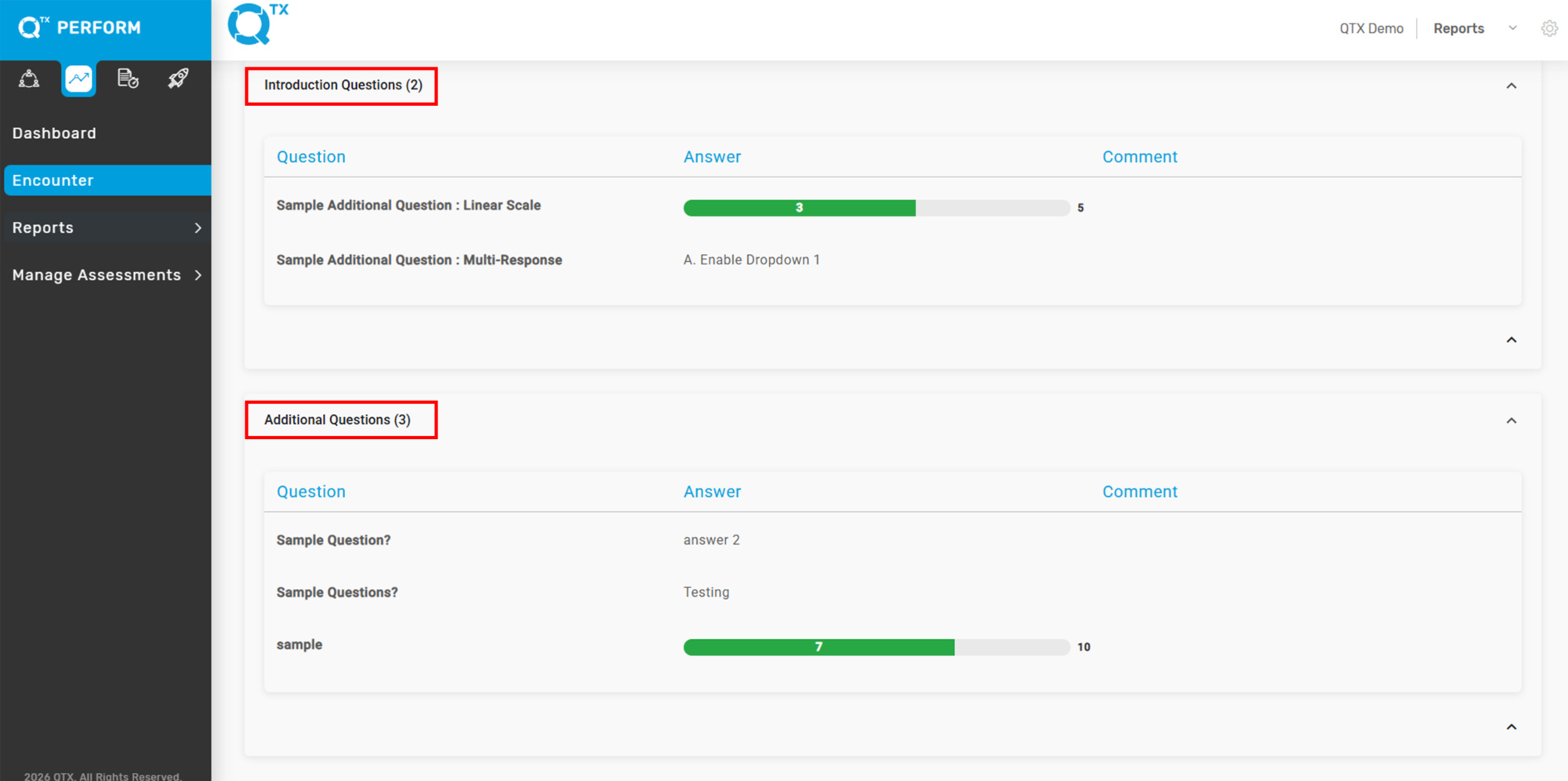
4. Click to expand each section.
You will then be able to view the responses and answers for each Introduction Question and Additional Question included in the assessment.
If you need further assistance, please send an email to helpdesk@q-tx.com