
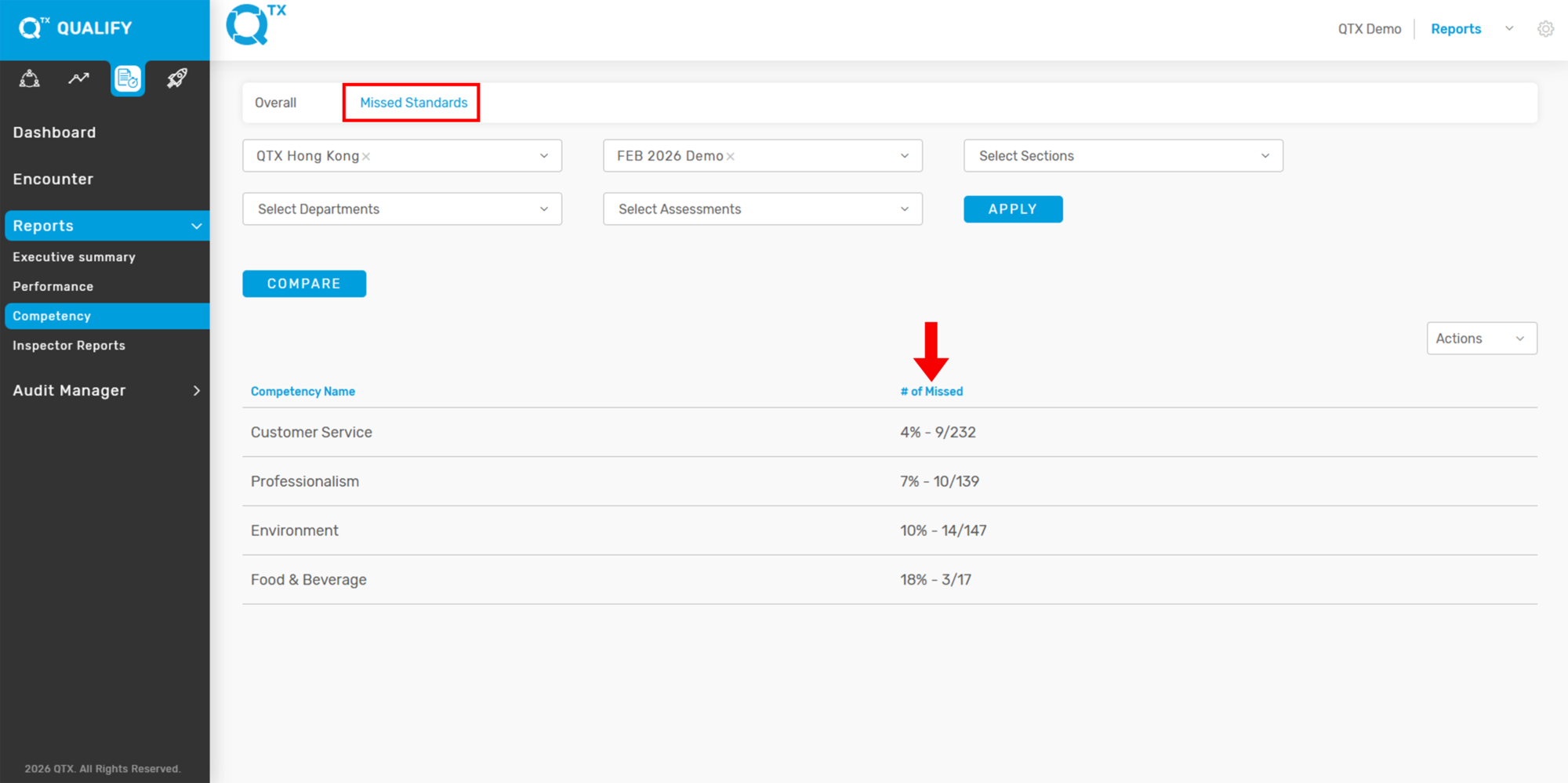
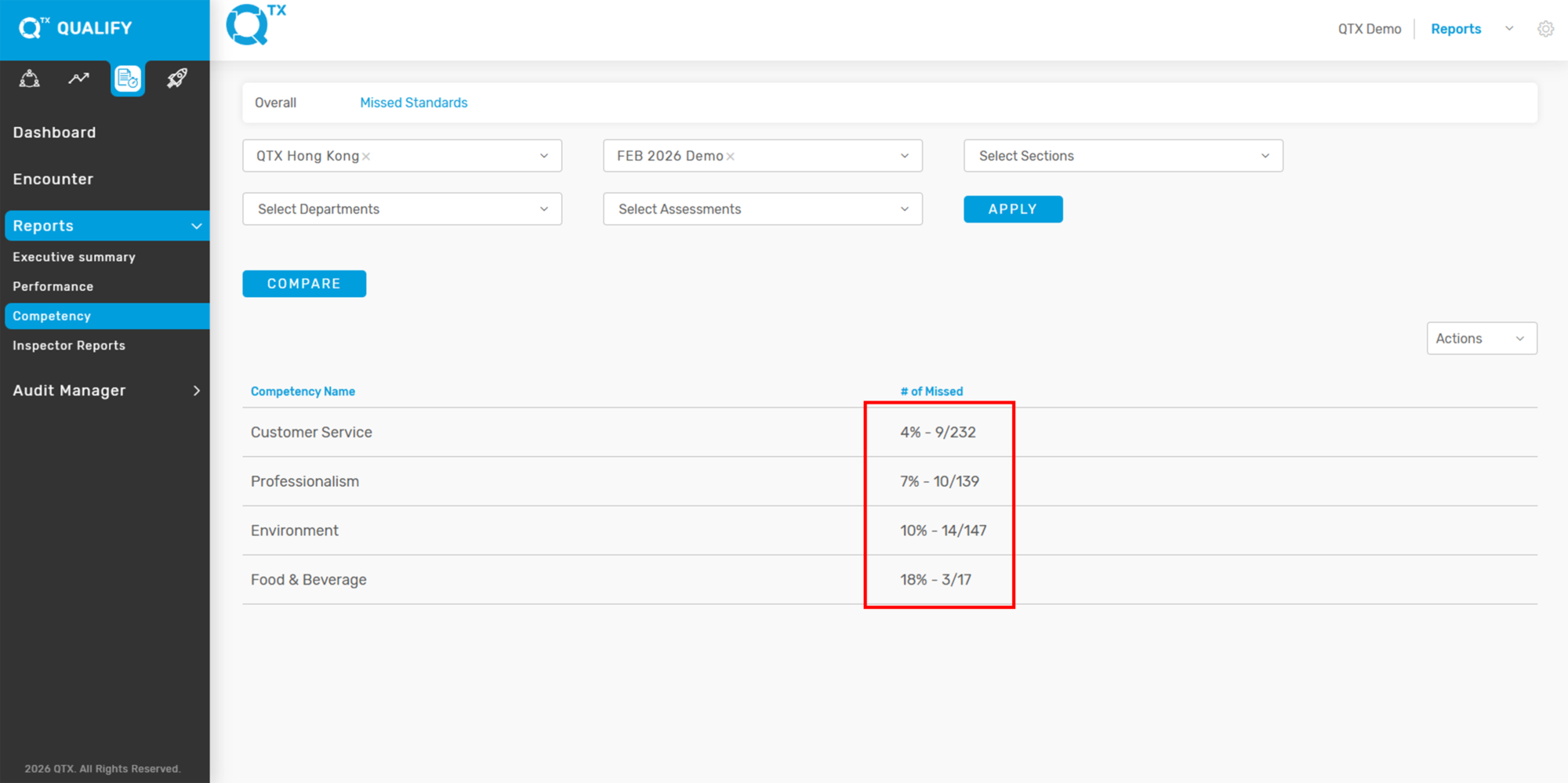
This displays the total number and percentage of missed standards, categorized by Competency, helping to identify areas needing improvement.
1. On the Dashboard landing page, click the “QUALIFY” button to proceed.
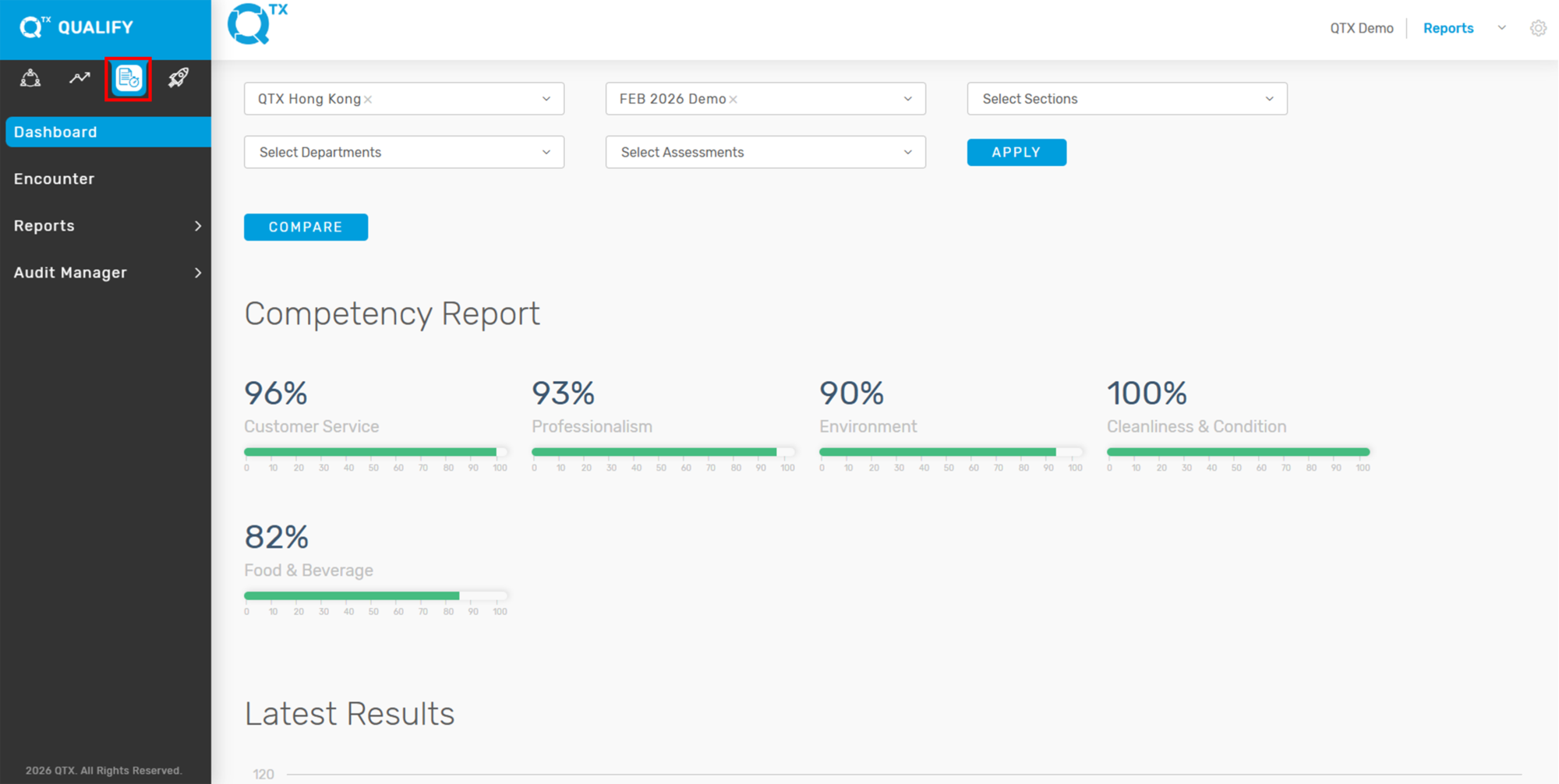
2. Click the “Reports” button from the navigation menu, then select “Competency” to view performance data.
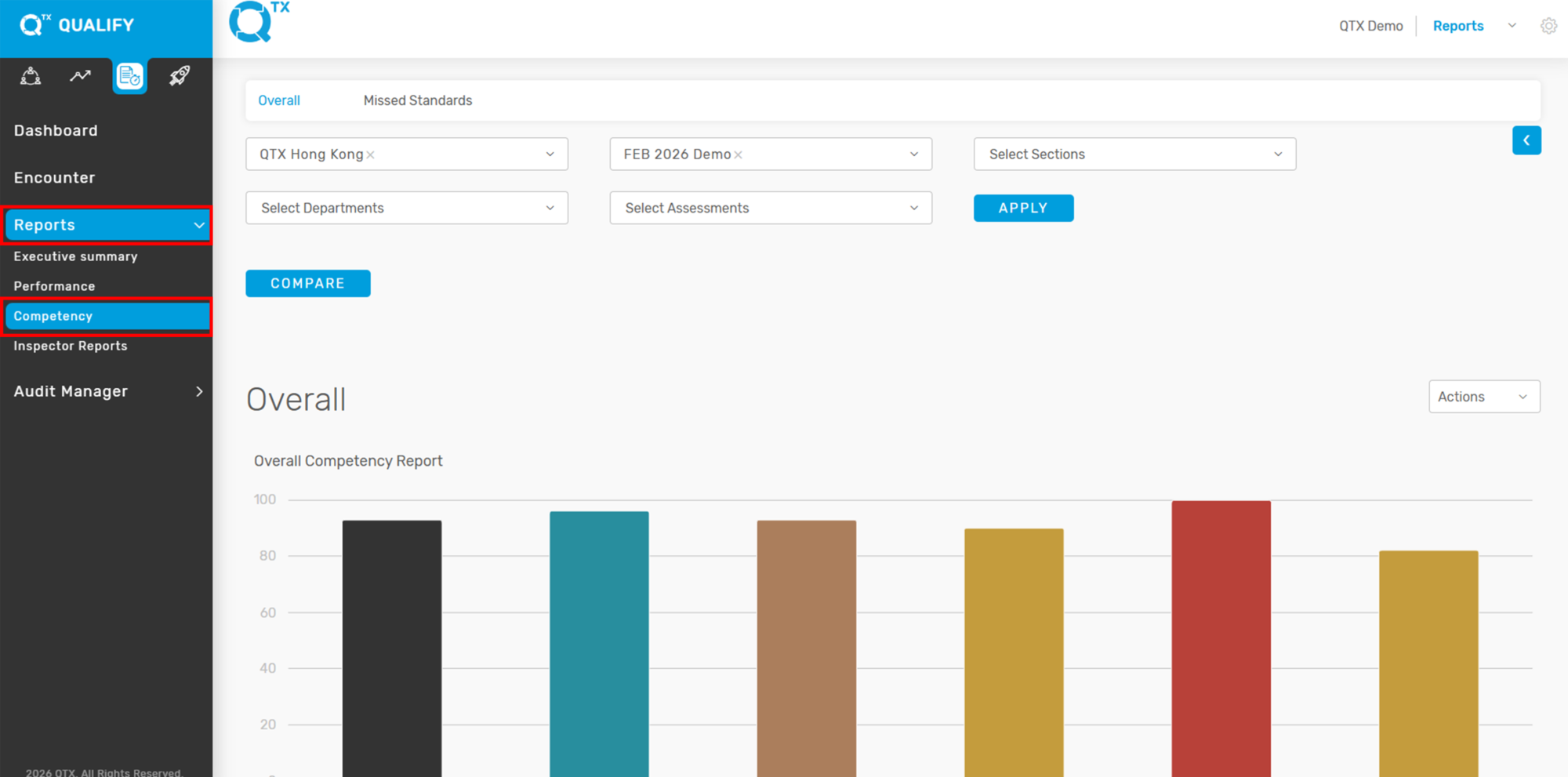
3. Click on the “Missed Standards” tab, then select the relevant filters from the available options. From here, you will be able to see the number of Missed Standards based on the selected criteria.
4. The report will display the missed standards categorized by Competency, showing both the number of missed items and their corresponding percentage. This helps identify specific areas needing improvement.
5. Click any of the Competency Names to display a detailed list of the missed standards under that specific competency, as shown in the example below. This allows users to pinpoint which standards were not met.


If you need further assistance, please send an email to helpdesk@q-tx.com