
The Performance Report enables management to provide positive feedback and identify areas for improvement. It also allows departments to review results collaboratively and develop action plans to enhance skills and performance.
1. On the Dashboard landing page, click the “QUALIFY” button to proceed.

2. Click on the “Reports” button, then select “Performance”.
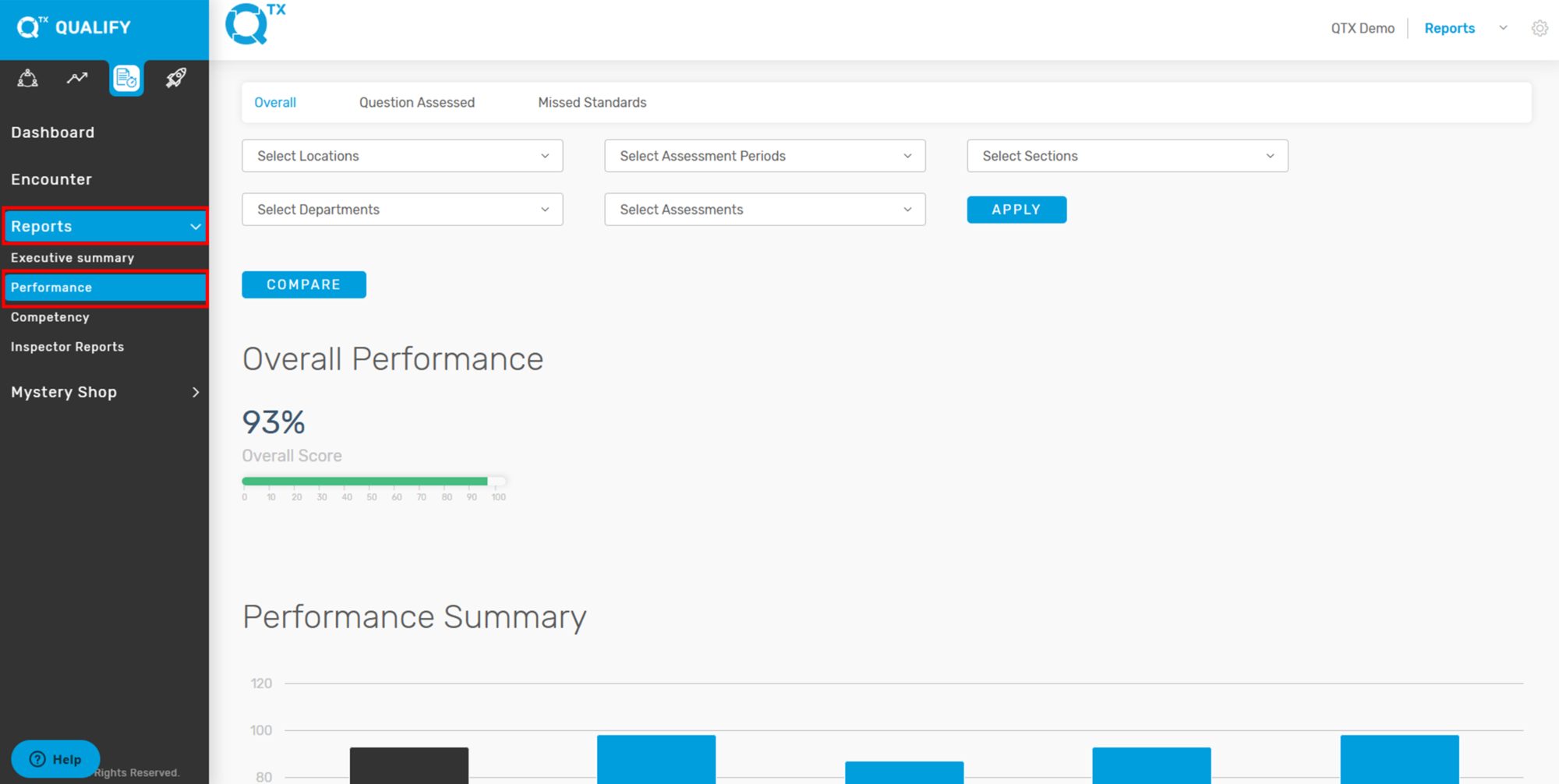
3. The system will redirect you to the ‘Overall’ tab. From there, select the relevant information from the dropdown list to apply filters.

4. The Overall Performance score is displayed as a percentage and shown in a graph format. Hover your cursor over a bar in the graph to view the exact Overall score.

If you need further assistance, please send an email to helpdesk@q-tx.com