
The QTX Platform is tailored for hotels to create cost-effective, results-driven mystery shopping programs that align with their specific operational needs. Each report is purpose-built for hotel environments, enabling teams to quickly identify and address recurring issues to enhance service quality and operational efficiency.
1. On the Dashboard landing page, click the “QUALIFY” button to proceed.

2. Fill out the required details in the Filters section, such as Location, Department, Section, and Assessment, to generate a focused and accurate report based on your selection criteria.
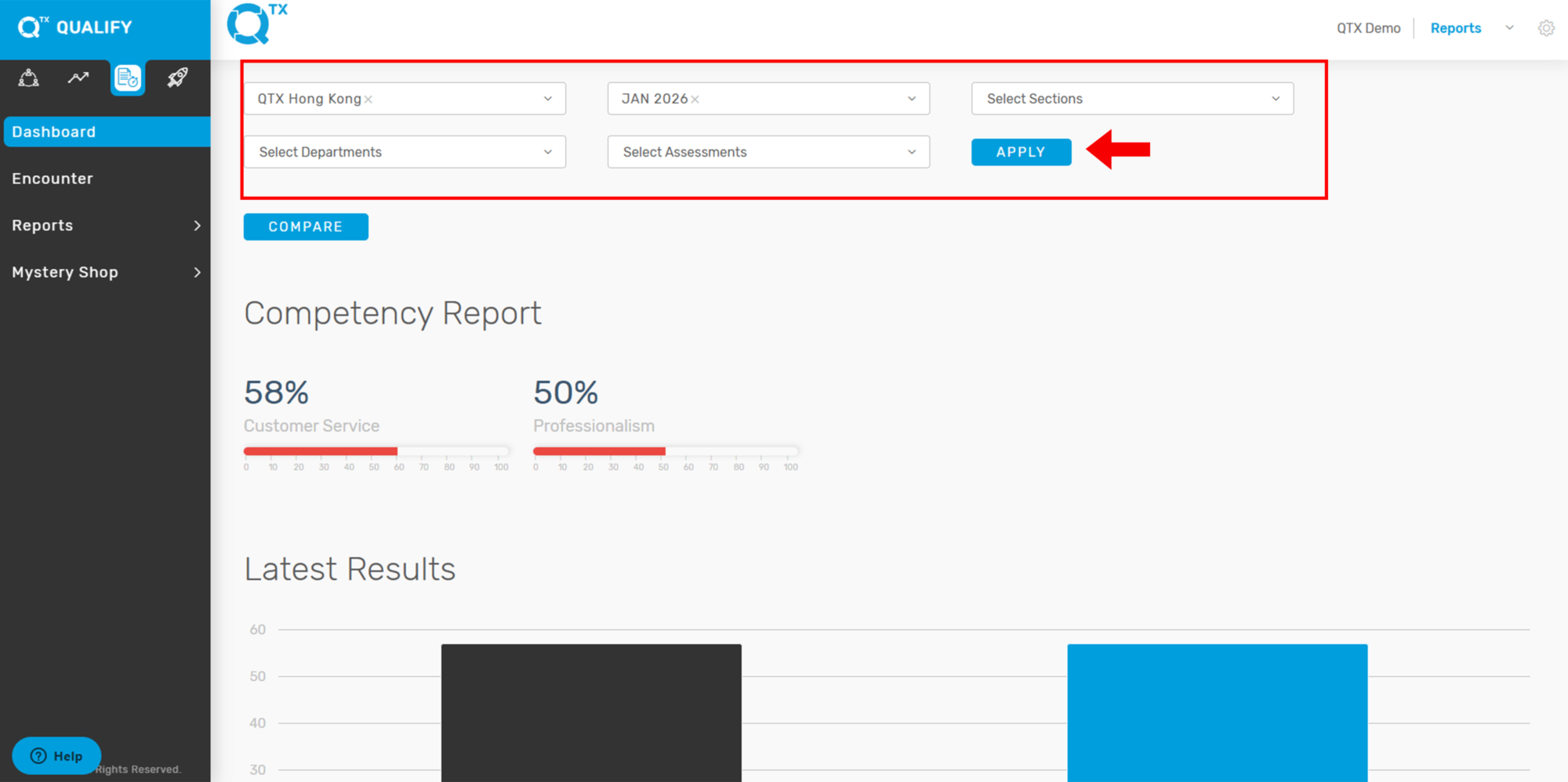
3. On the same page, scroll down to view the reports. The Competency Report displays percentage scores categorized by Competency. Any score below 80% will appear as a yellow graph line, making it easy to identify areas needing improvement.

4. The Latest Results section displays the most recent score for the selected Location. Hover your cursor over the bars on the graph to view the exact percentage score.

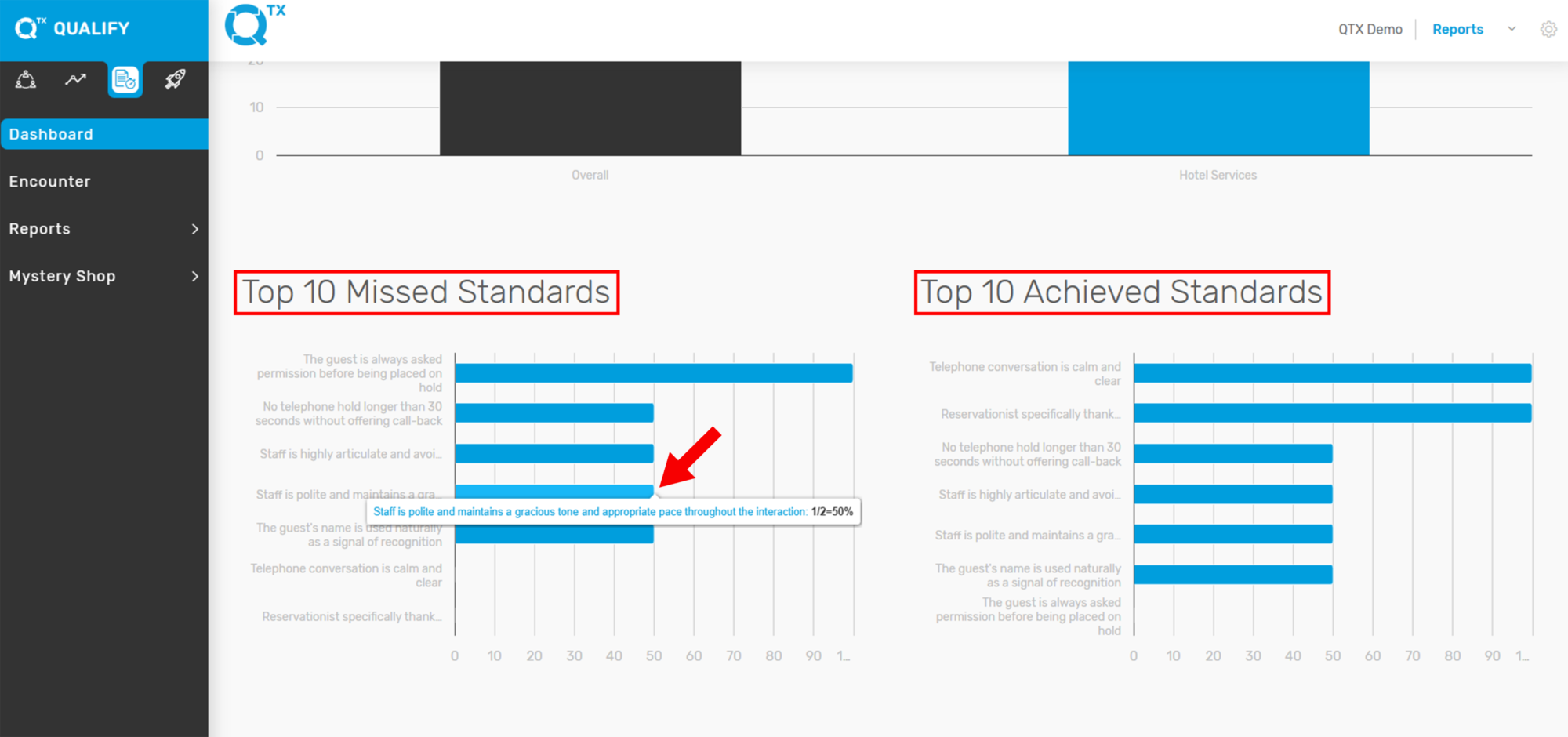
5. You can view the Top 10 Missed Standards and Top 10 Achieved Standards, each displayed with its corresponding scores to help identify areas of improvement and success. You can also view the standard by hovering the cursor.
If you need further assistance, please send an email to helpdesk@q-tx.com